Real telemetry analysis
Compare up to sixty laps, eight traces at a time: delta, speed, throttle, brake, steering and gear against distance, with drag-to-zoom.
SectorLoom helps you interpret and view your sim racing telemetry in a way that mortals can understand. A ? on every chart explains what it is telling you, and a coach shows you where the lap went — then helps you refine your driving for faster times.
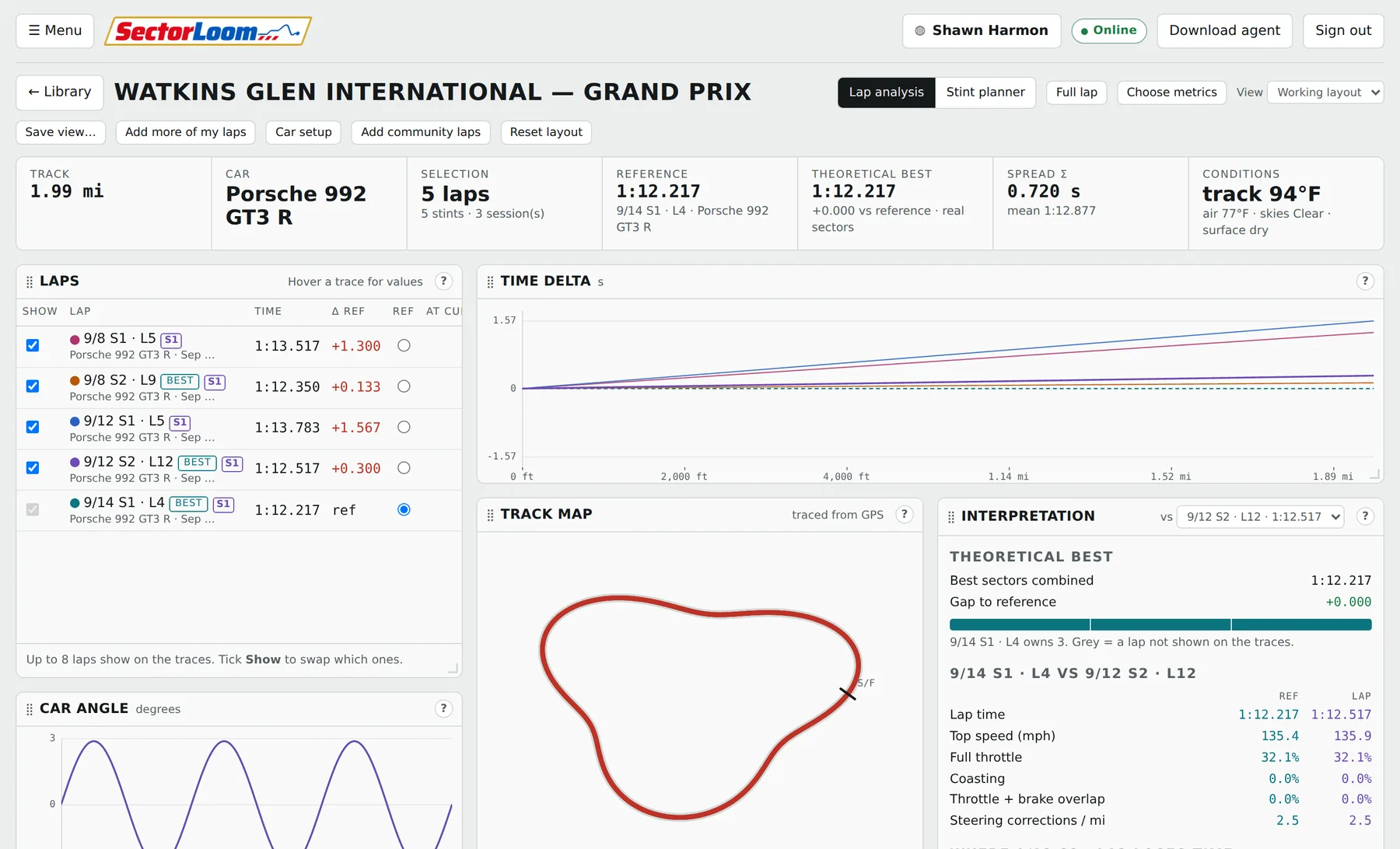
Compare up to sixty laps, eight traces at a time: delta, speed, throttle, brake, steering and gear against distance, with drag-to-zoom.
A GPS-traced map of the circuit coloured by where you gain and lose, a theoretical best stitched from your own best sectors, and a plain-language read on every corner: brake point, minimum speed, throttle pickup, steering lock.
Six areas scored from your actual laps — consistency, finding the limit, braking, corner exit, car control, track discipline — each with one plain instruction for fixing it. Then a four-week practice plan aimed at your two weakest, sized to the hours you actually have.
Every session is labelled with the setup it ran, numbered per car. See at a glance which laps used which, and diff two setups field by field. SectorLoom will not tell you which was faster — that is yours to judge, and the lap comparison is there for it.
Track and air temperature, skies, wetness, wind, humidity and rubber, pulled from the session itself — so a hot Tuesday is never silently compared against a cold Sunday.

A roster with your own role names, up to two leaders beside the owner, a shared calendar with in / maybe / out, and a nominated alternate owner so a team never dies with a lost password.
Teams post what they are after — licence class, safety rating, what they race, the level they want — and drivers browse the board. Apply in one click; a leader approves or declines it from the message.
The free trial covers your own driving in full — telemetry, the coach, setups, the garage. Teams, the driver board and messaging are not in it, because those put you in touch with other drivers. They come with a membership from the first day you take one.
Publish your laps to the whole community and every member can find them by track and car, put your traces beside theirs, and see your name on them — as you can with theirs. One setting, off unless you turn it on, and turning it off takes them straight back out.
Teammates talk freely. Only leaders can approach drivers outside the team, and only those who have said they are open to it. Nobody gets cold-messaged by a stranger.
Laps, setups and telemetry are private until you decide otherwise, and that is enforced by the database itself rather than by a hidden button. There is no administrator exception; site admins cannot read them either. You choose when you sign up, and can change it whenever you like.

Fourteen days free on the analysis, no card asked for. Teams and messaging are part of the membership from day one. No tiers, no per-team fee, and no paying extra for the analysis that is the whole point.
Works out at $5.00 a month
instead of $72 billed monthly
Cancel any time.
Cancel any time.
Sim racing telemetry, teams and coaching
Your telemetry, setups and lap times are private to your account — no other driver can see them. Teams and schedules are shared only with the teams you join.
Nothing has been deleted. Your sessions, setups and teams are exactly where you left them, and they come straight back the moment the membership is active.
Works out at $5.00 a month
Everything waiting on you, and where you left off.
Your sessions, grouped by track. Pick what to compare.
Drag a widget by its title to move it, pull the bottom-right corner to resize, and press ? on any widget to see how to read it.
Values are shown exactly as iRacing wrote them in the session, units included.
Every reading below comes from the laps in your library. Add more sessions and it sharpens.
Create a team, or join one someone else has opened. Everyone you share this app's link with sees the same teams.
Practice, qualifying, races and endurance stints for the teams you're in. Times show in your own timezone.
Accounts only. Nobody's telemetry, setups or lap times are visible here — not even to you.
Sessions other drivers have chosen to publish. Open one and its laps sit in your library beside your own, ready to compare.
The same answers as the public page. Nothing here signs you out or reloads the app.
How you appear to other drivers, and how you sign in.
Square works best. It is shrunk to 256 pixels before it is uploaded.
Sharing one session with a team you are in is separate, and still a switch on that session in your library.
How the site looks and measures on this machine. Kept in this browser, not on your account.
Imperial gives mph, feet, °F and gallons. Metric gives km/h, metres, °C and litres.
Panels, borders and chart gridlines are worked out from your background and text colours, so you only pick three. Everything is kept readable: a combination whose text and background are too close to tell apart is refused rather than applied.
Conversations and notices, newest first.
Teams looking for drivers. Pick one to read the posting.